We are excited to announce DroneDB Hub 2.0: the biggest update since we launched the platform. This release includes Registry v2.0.6 and DroneDB v1.4.5, bringing a completely redesigned frontend, powerful new tools, granular permissions, and dozens of improvements under the hood.
Here’s a summary of everything that’s new since our January update (Registry v1.6.2 / DroneDB v1.3.4).
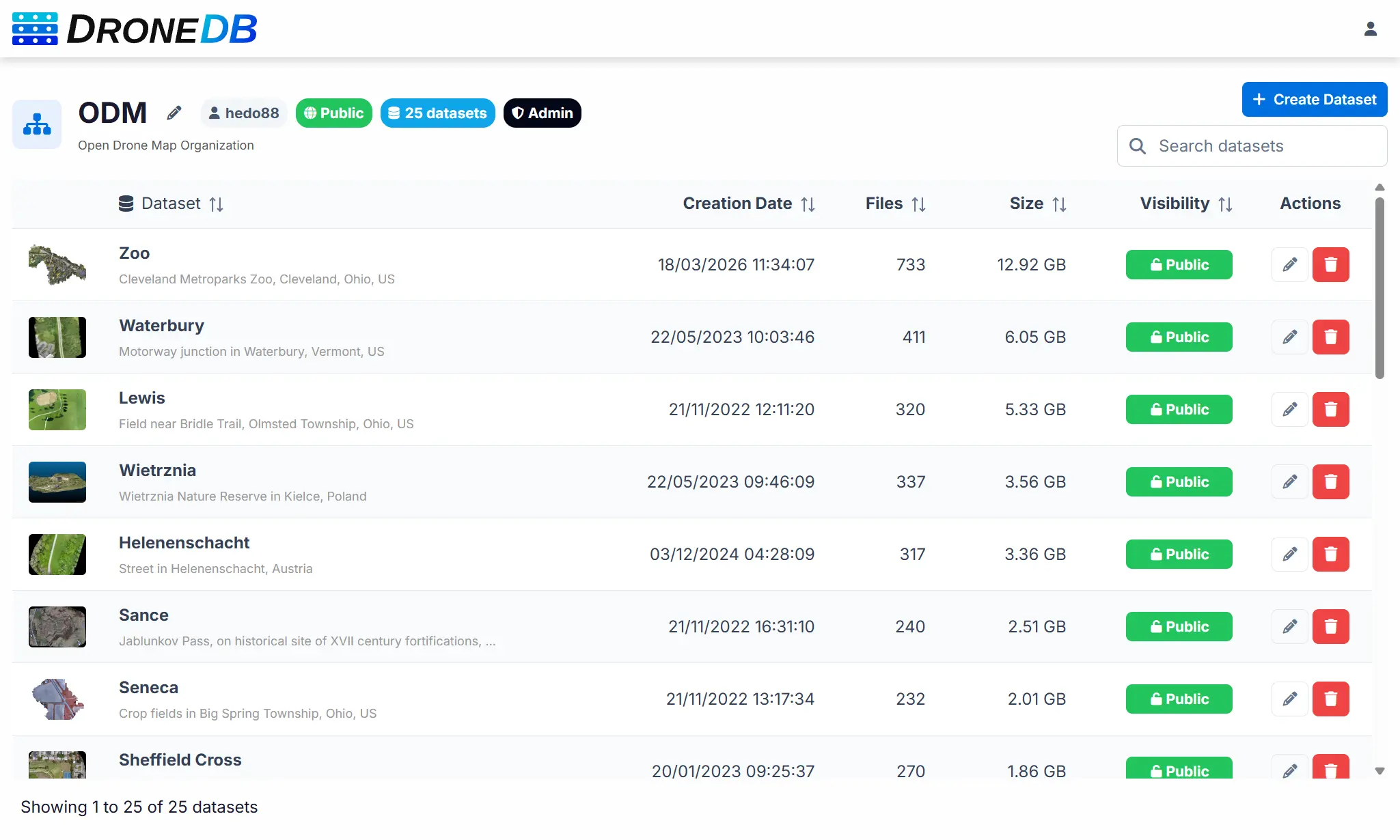
A Completely Redesigned Interface
The Hub frontend has been rebuilt from the ground up: migrated from the legacy codebase to Vue 3 with PrimeVue. Over 110 commits went into this rewrite, touching every part of the user interface. The result is a modern, consistent, and significantly faster experience:
- New design system: streamlined color palette, refreshed SVG branding, improved typography, and consistent component styling across every page.
- PrimeVue DataTable: the file explorer now uses a professional data grid with sortable columns, striped rows, and proper empty-state handling.
- Skeleton loading states: content areas show subtle placeholder animations while data loads, eliminating blank-screen moments.
- Toast notifications: replaced the old flash messages with non-intrusive toast popups.
- Improved responsive design: optimized layouts for mobile and tablet, with smaller logos and adaptive pagination.
- Upload speed & ETA: the file upload dialog now shows real-time upload speed and estimated time remaining.
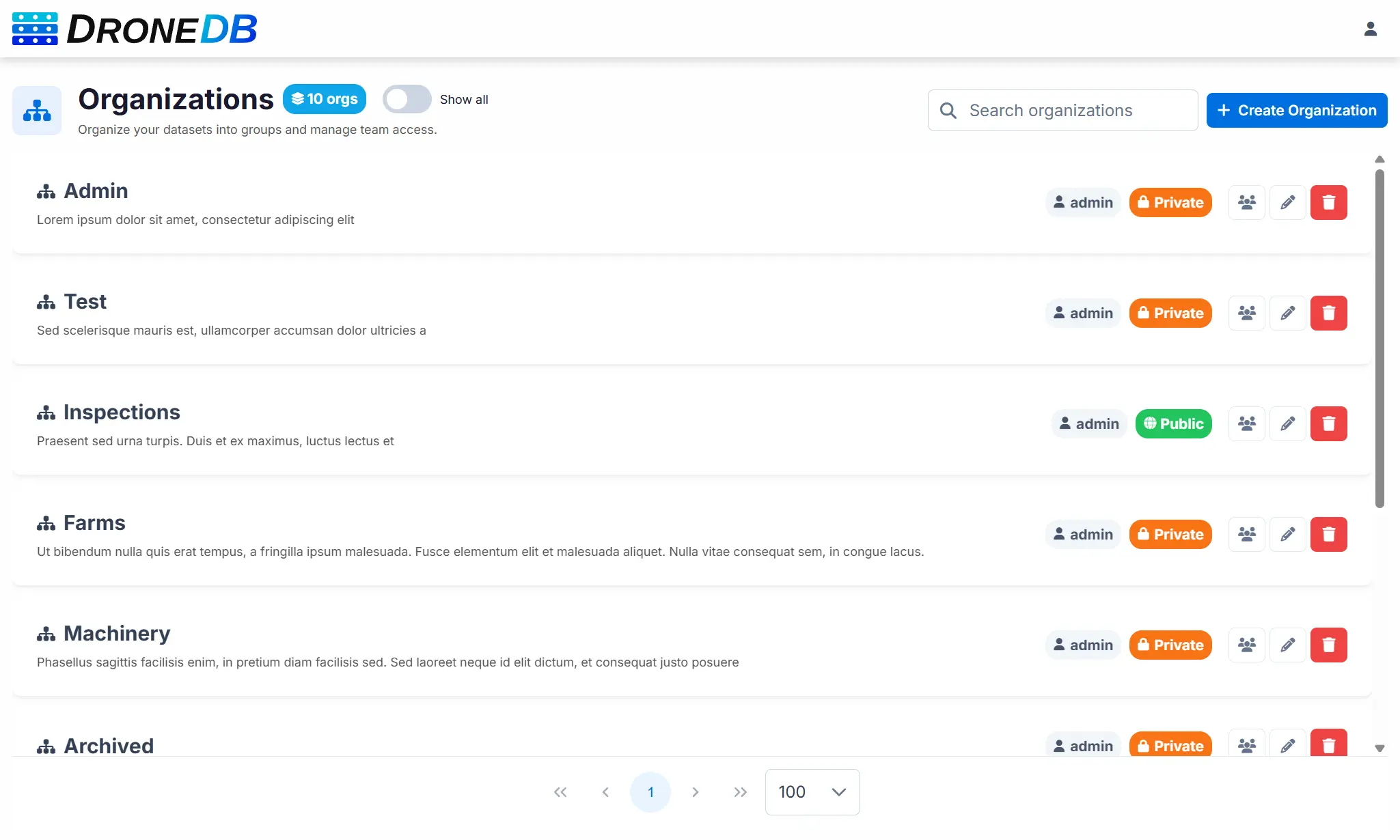
- Unified file detail panel: the properties panel now uses a single, clean table layout with consistent field ordering.
- Draggable dialogs: dialog headers can now be dragged to reposition them on screen.
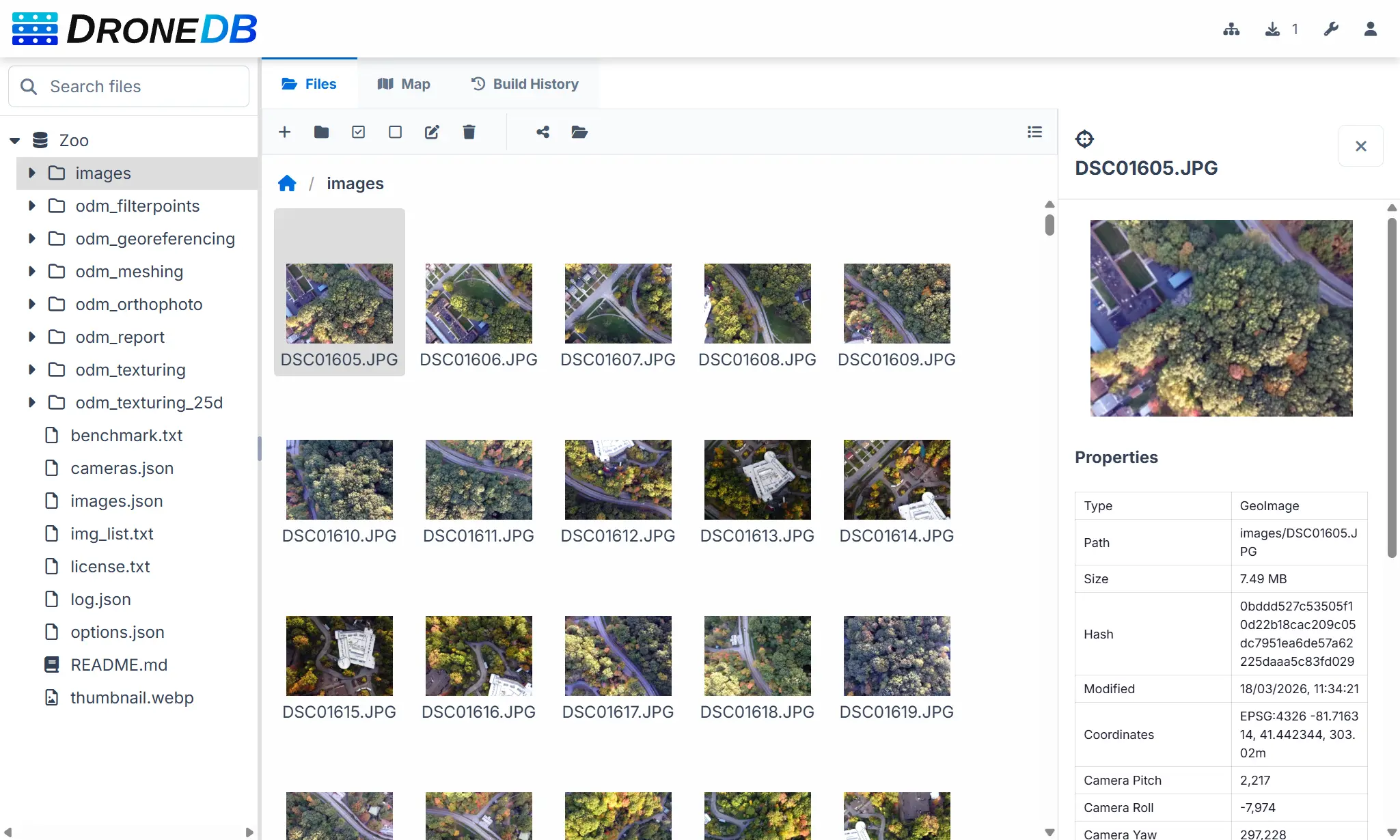
Organizations & Granular Permissions
Managing teams just got a lot more powerful. We’ve introduced four permission levels for organization members: Read Only, Read/Write, Read/Write/Delete, and Admin: giving you fine-grained control over who can do what.
- Organization member management: add, update roles, and remove members directly from the UI with search and confirmation flows.
- Permission enforcement everywhere: context menus, toolbar buttons, drag-and-drop, measurements, and dataset creation all respect the user’s permission level. Read-only users no longer see actions they can’t perform.
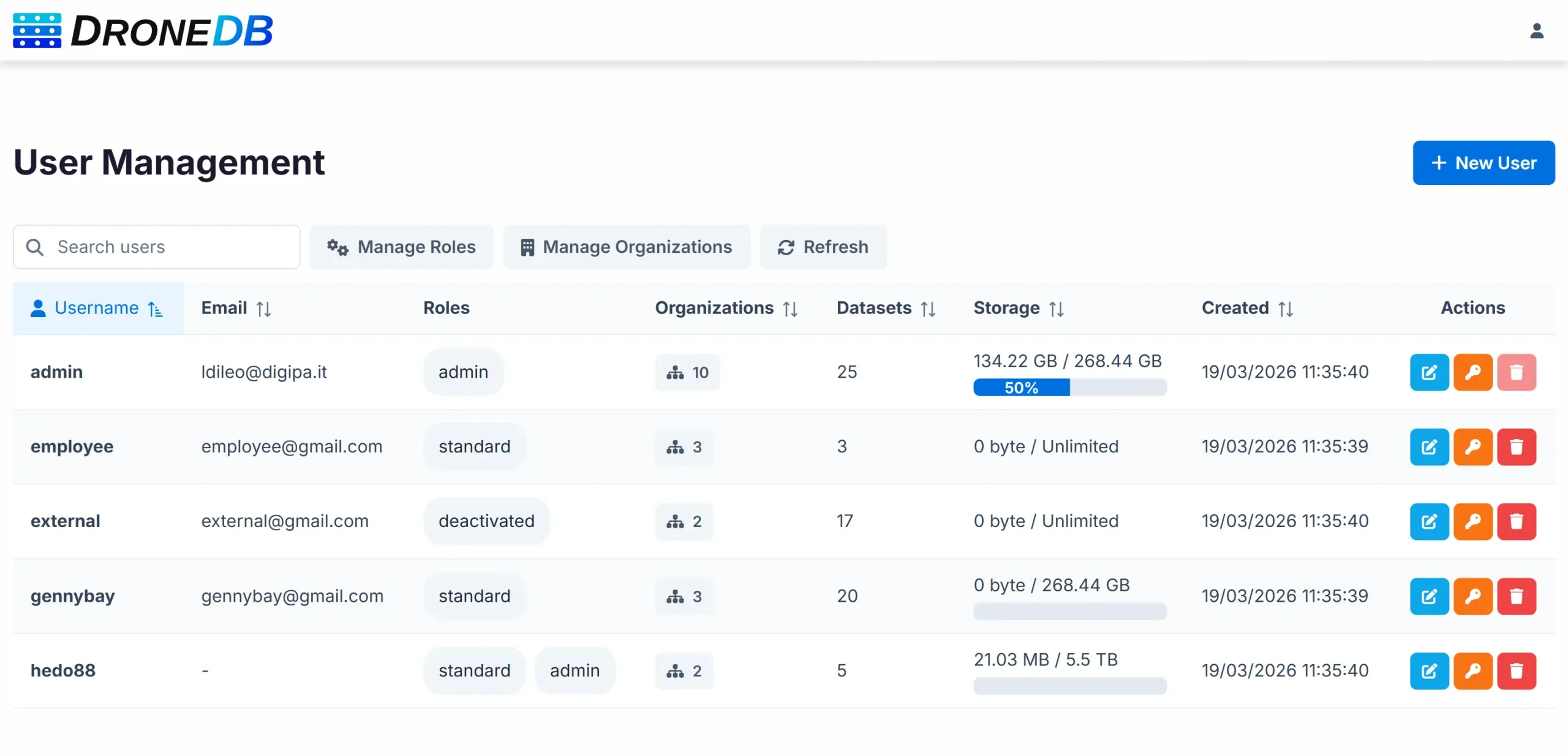
- Redesigned organizations page: search bar, “Show all” toggle, client-side pagination with persistent preferences, and improved card layout.
- Configurable default organizations: new users can optionally skip the automatic personal organization creation.
Advanced Map Tools
The map experience has seen massive improvements with new interaction tools and customization options:
Spatial Selection
- Rectangle and polygon selection: draw shapes on the map to select multiple features at once. Selection is additive: successive draws add to the current selection. Right-click cancels the drawing without deactivating the tool.
- Select All / Deselect All buttons and a dedicated clear-selection button.
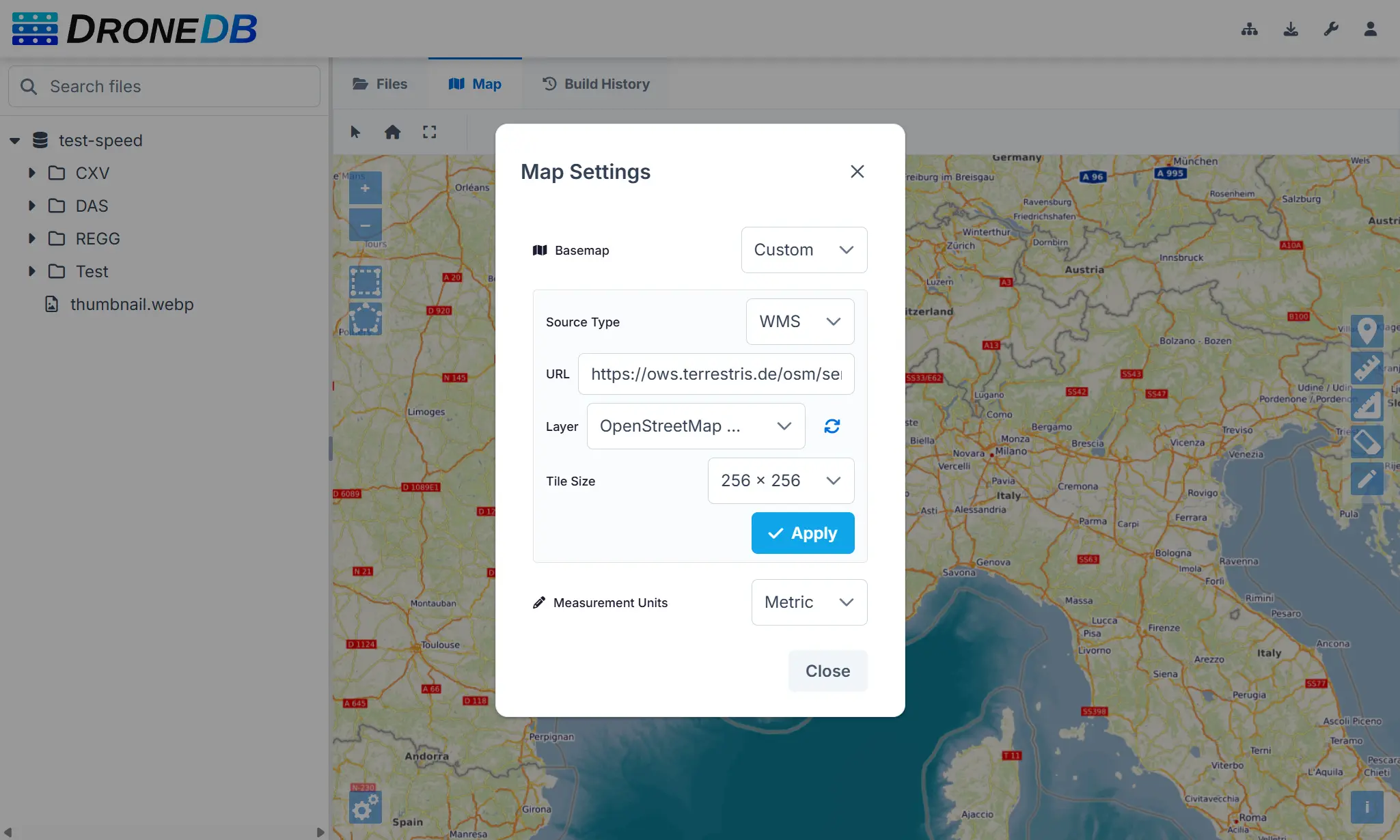
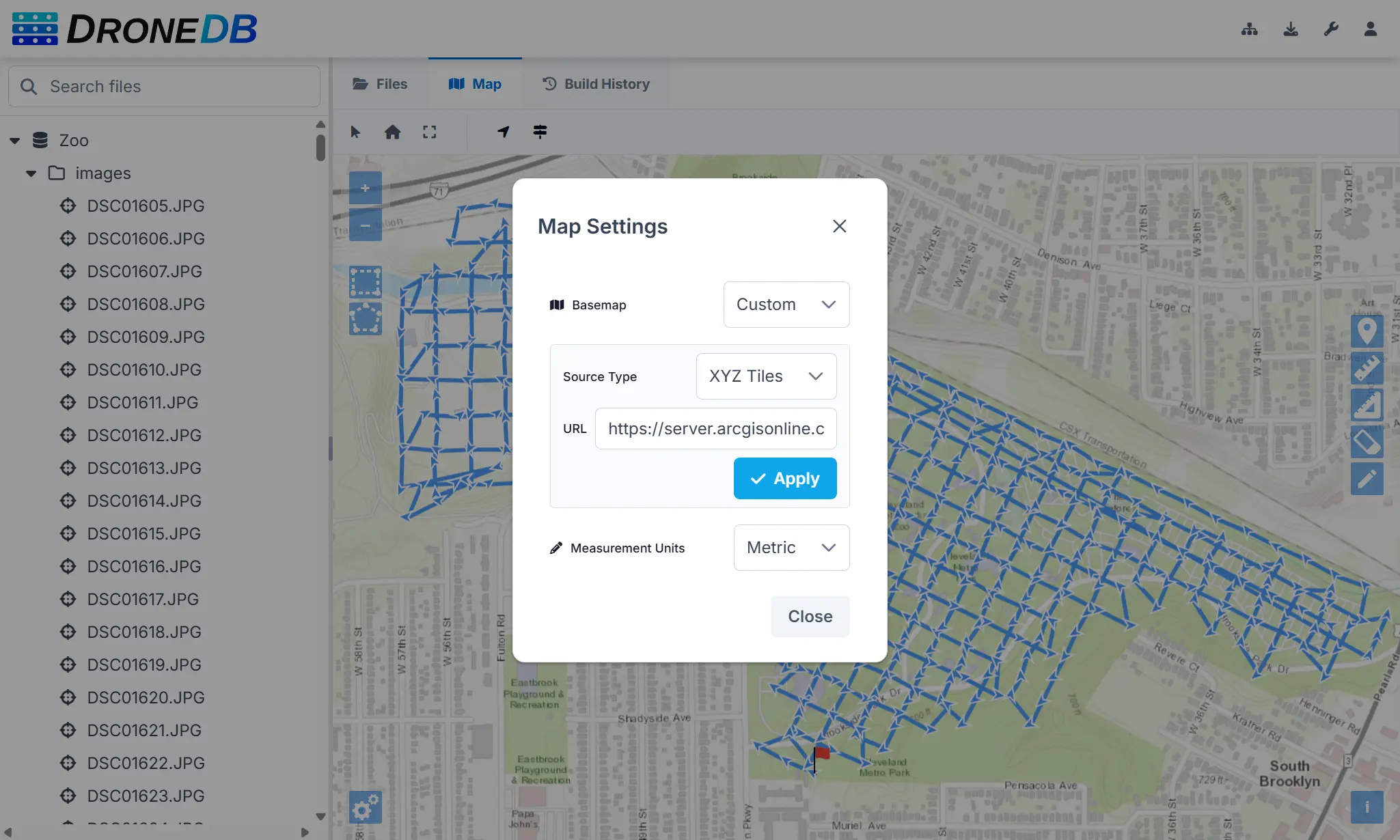
Map Settings Dialog
- Custom basemaps: add your own XYZ tile URLs or WMS endpoints, with automatic layer detection and tile-load validation via GetCapabilities.
- Measurement unit switcher: toggle between metric and imperial units.
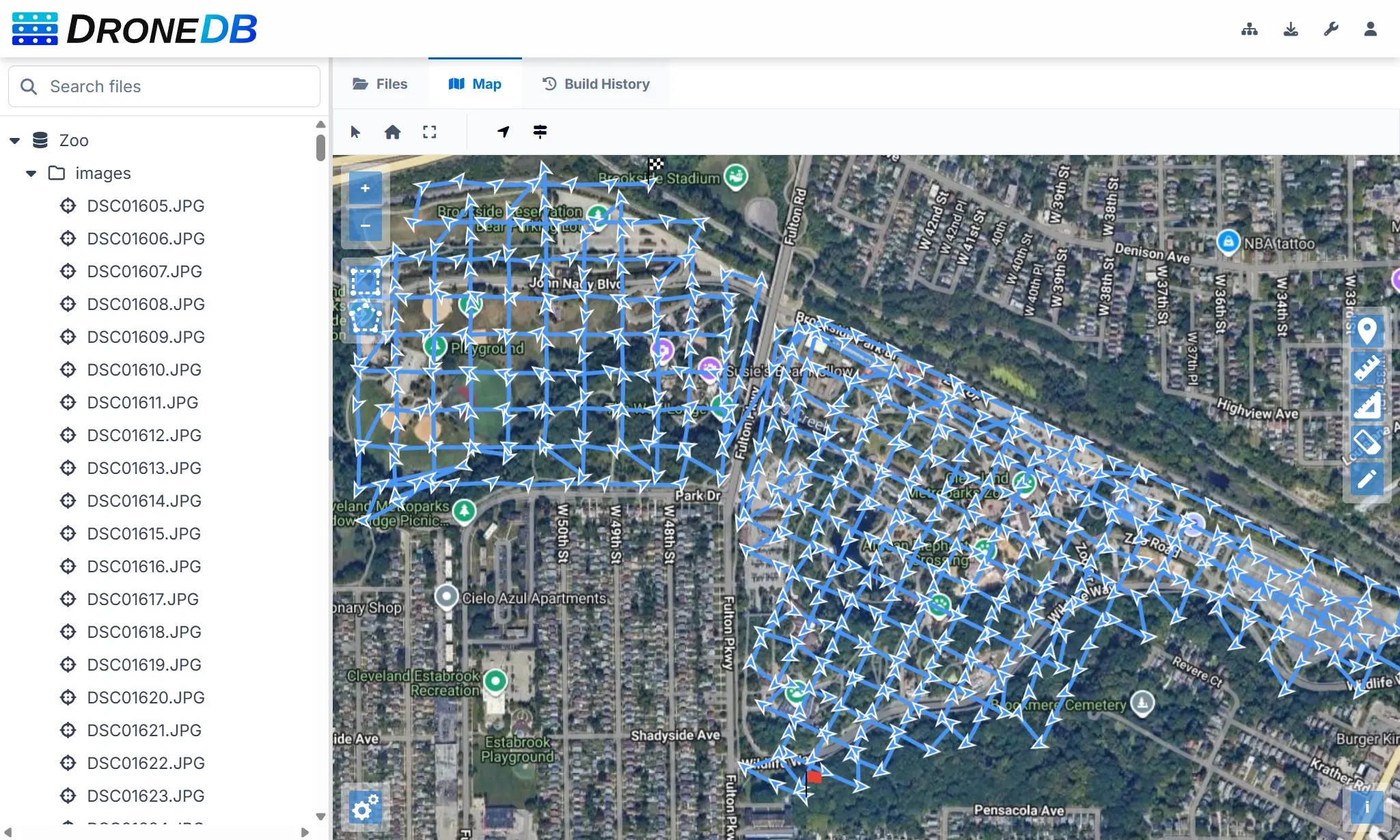
- Flight path visibility: show or hide drone flight paths with a single toggle.
- WMS tile size selector: choose between 256×256 and 512×512 tile sizes for WMS basemap sources.
- WMS TIME dimension: automatic detection and passthrough of the WMS TIME dimension from GetCapabilities, with fallback to the last available time extent.
- All preferences are persisted in your browser’s local storage.
Flight Data Visualization
- Direction arrows and speed indicators: see camera orientation and flight speed directly on the map for each geotagged image.
- Raster layer opacity slider: adjust orthophoto transparency on the fly.
Measurement List & Management
- Measurement list dialog: a new panel to view, inspect, and delete individual measurements from the map, accessible via a toolbar button.
- Point annotations: place color-coded point markers with descriptions on the map.
- Measurements panel moved from left to right side for better ergonomics.
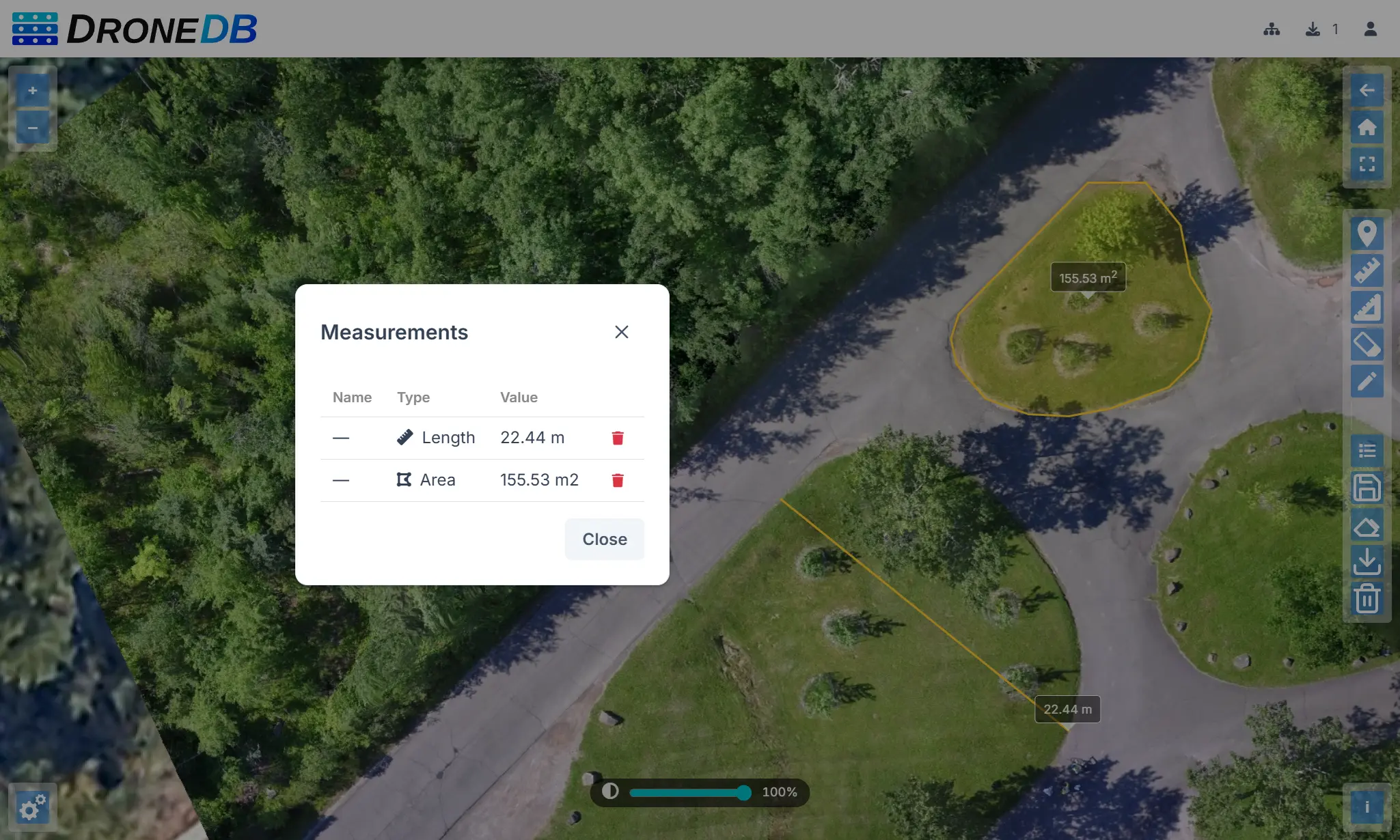
Image Viewer & Lightbox
Browsing images is now a seamless experience with the new fullscreen lightbox viewer:
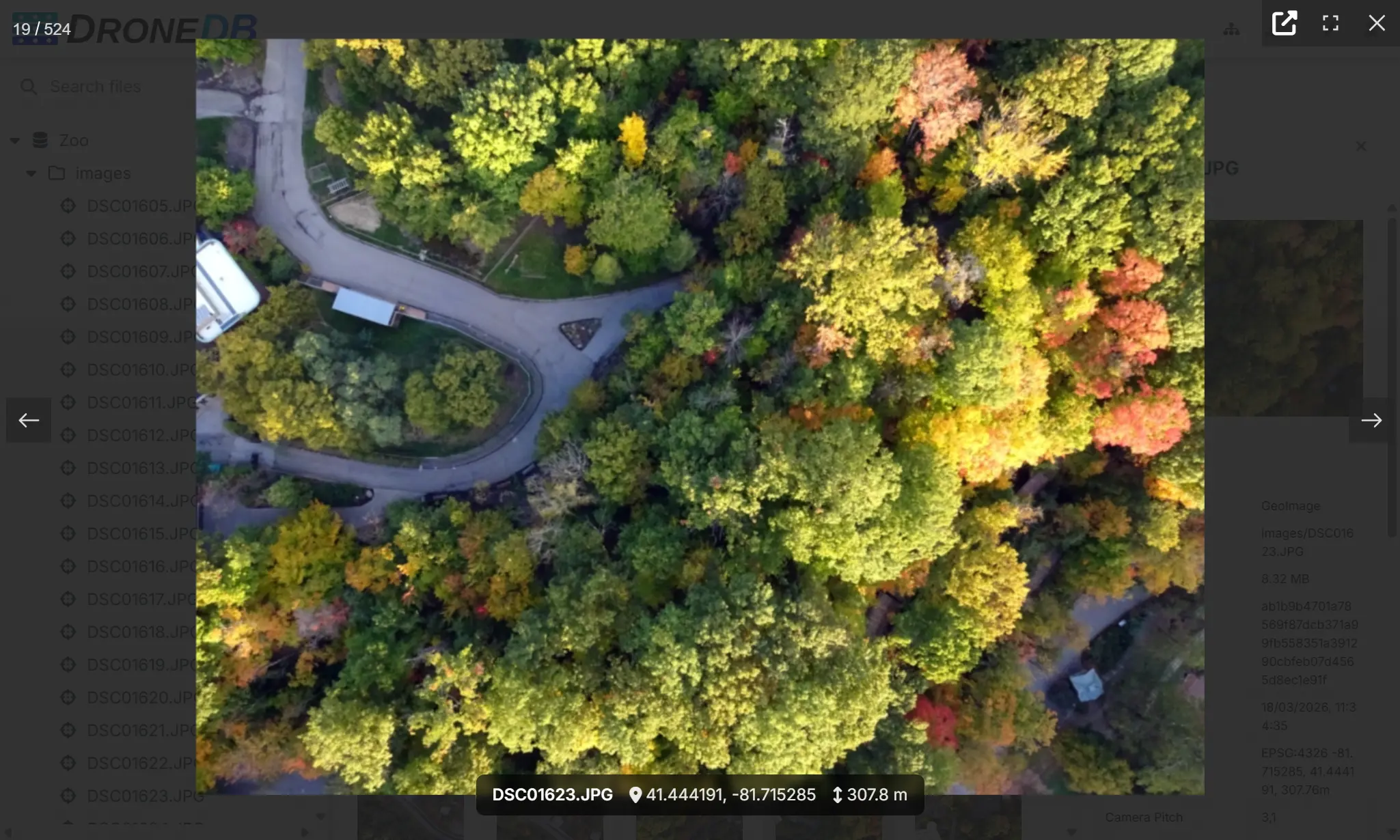
- Fullscreen image browsing: click any image or geoimage to open it in a high-quality lightbox with navigation between files.
- Coordinates and altitude overlay: geolocation data is displayed directly on the image.
- Image popup on map click: click a geoimage marker on the map to see a thumbnail, coordinates, and copy-to-clipboard action.
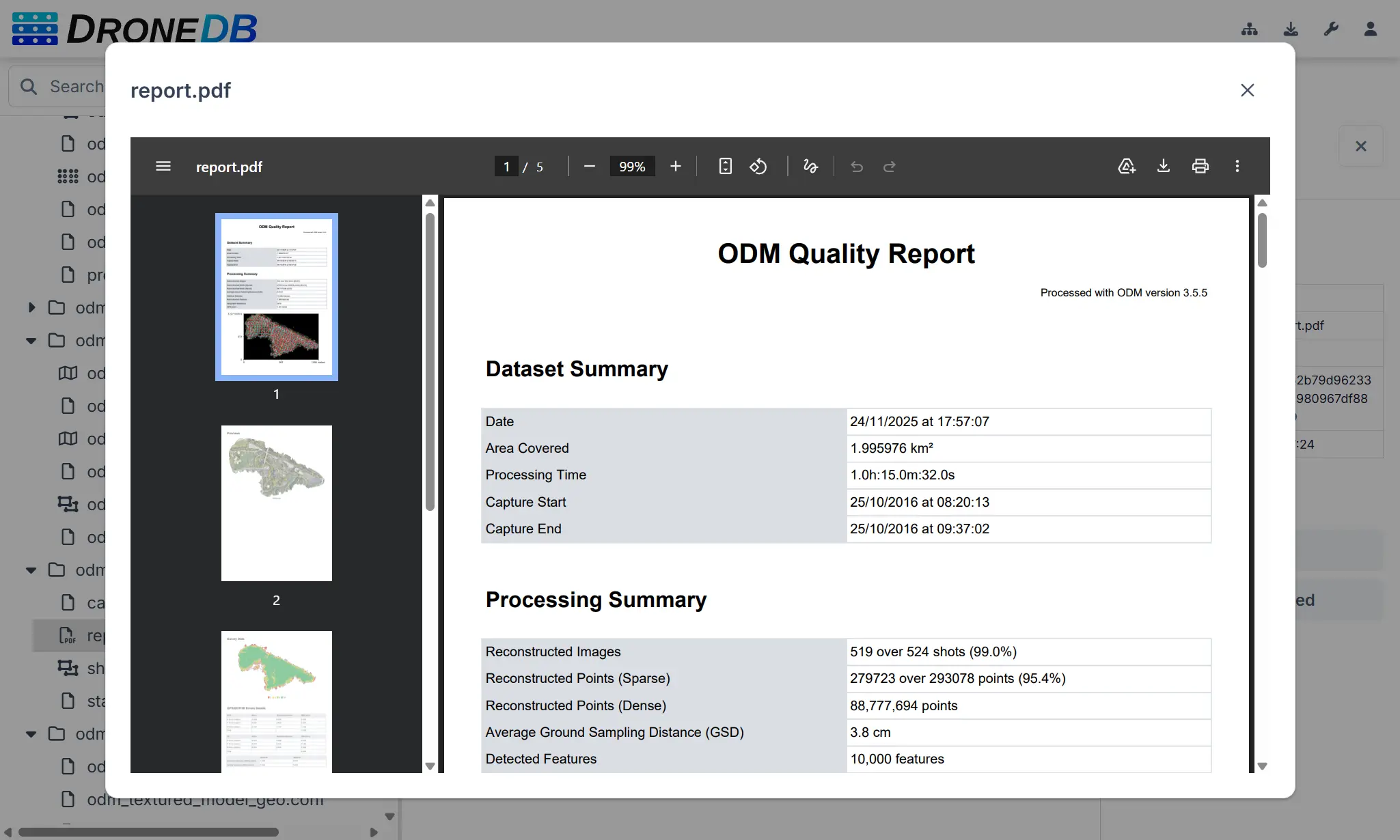
- PDF viewer: view PDF files directly in the browser without downloading.
Dataset Thumbnails & Taglines
Datasets are now easier to identify at a glance:
- “Set as Cover” context menu: right-click any image to set it as the dataset thumbnail.
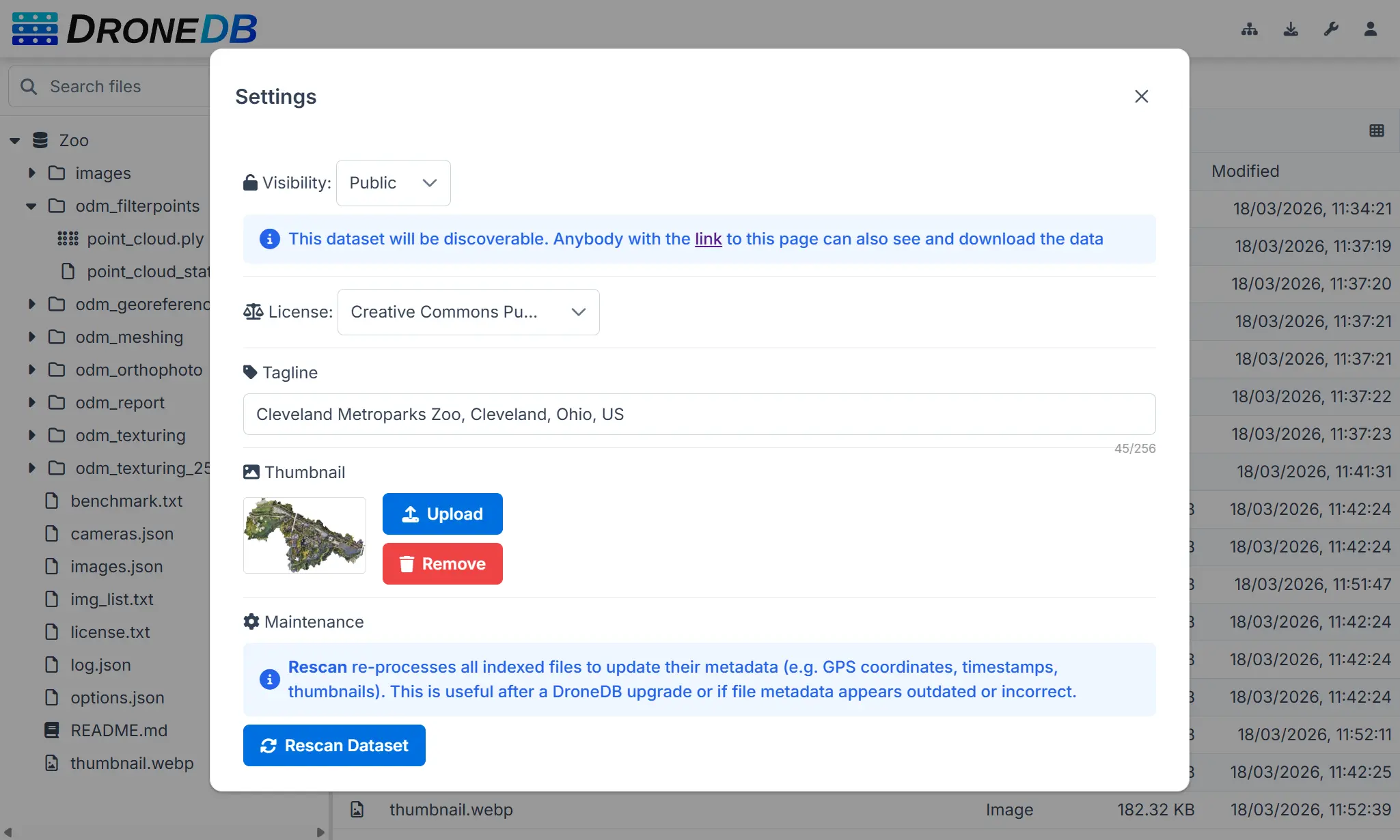
- Thumbnail management in Settings: upload, preview, and remove dataset cover images with cache-busting.
- Tagline field: add a short description (up to 256 characters) to each dataset, visible in listings.
Improved 3D & Point Cloud Viewers
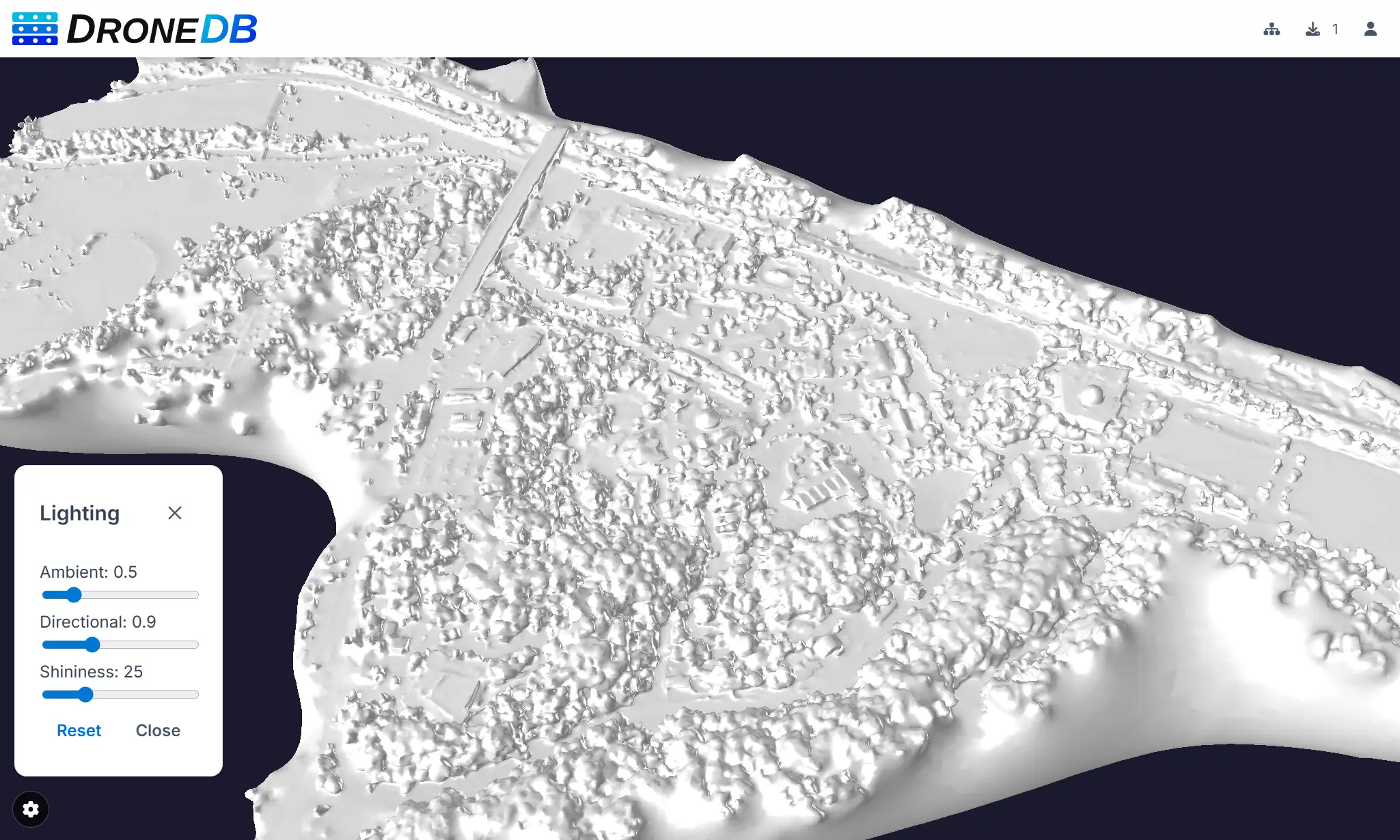
- Nexus viewer enhancements: lighting controls are now available for all 3D models (not just untextured ones), with a new hemisphere light for better illumination and a dedicated settings window. Preferences persist across sessions.
- Improved textureless model handling: better defaults and lighting for models without textures.
- Potree improvements: unit selector (metric/imperial), adaptive Splat Quality (HQ on desktop, Standard on mobile), and fixed annotation tooltips.
Security & Administration
- Configurable password policy: enforce minimum length, digits, uppercase, lowercase, and special characters on user creation and password changes. Live validation indicators in the frontend.
- Per-user download limits: configurable concurrent download thresholds with preflight checks and admin bypass.
- Cross-origin embedding:
X-Frame-Optionsrelaxed toSAMEORIGIN, with full cross-origin support for embed routes (?embed=1). - Path traversal protection: multi-layered validation on file uploads.
- Registration link control: self-hosted instances can hide the registration link on the login page.
STAC Compliance Improvements
DroneDB’s STAC support has been significantly enhanced:
- Projection extension:
proj:transform,proj:wkt2,proj:shape, andproj:epsgfields for georeferenced items. - Temporal extent: STAC Collections and Items now include
datetimeand temporal intervals. - Asset MIME types and roles: assets now include proper
typedetection androles: ["data"]for all supported formats. - Fixed bbox format: corrected the nested array issue for proper downstream client compatibility.
- URL-encoded asset hrefs: asset references now use query-parameter format with proper URL encoding.
DroneDB Core Engine Upgrades
The underlying DroneDB library (v1.4.5) received substantial improvements:
- Performance boost: migrated SHA256 hashing to OpenSSL, added database indexes, parallel build folder cleanup, batch metadata operations, and fingerprint caching to eliminate duplicate file reads.
- Flight metadata extraction: flight speed, GPS accuracy, GPS direction, and camera orientation are now extracted from DJI XMP, EXIF, and RTK tags.
- Improved capture time accuracy: priority-based timestamp cascade (GPS time → OffsetTime → geo-timezone → UTC fallback).
- Thumbnail fixes: fixed generation failure for single-band GeoTIFFs (DEM/DSM) and grayscale-plus-alpha images.
- PLY point cloud fixes: fixed EPT generation from PLY files and Nexus-related crash fixes for edge-case meshes.
- Automatic type re-detection on rename: when a file extension changes, the entry type is now automatically updated.
- Image dimension fix: width and height are now extracted from the file structure even when no EXIF/XMP metadata is present (e.g., plain PNG files), with a validity guard against zero-dimension entries.
Infrastructure & Reliability
- Instant dataset deletion: deleting a dataset is now instantaneous; filesystem and job cleanup happen in the background.
- Batch delete API: delete multiple files from a dataset in a single API call.
- Background job cleanup: automatic purging of old terminal job records with configurable retention.
- Cache management: pattern-based cache invalidation for tiles, thumbnails, and build-pending states.
- Dataset rescan: “Rescan Dataset” option in settings to re-index and update metadata.
- Unified feature flags: new
/sys/featuresendpoint replaces legacy per-feature endpoints. - Node.js 22: upgraded Docker and build environment.
Full Version History
This release spans 13 Registry versions and 7 DroneDB versions. Here’s the complete list:
- Registry: v1.7.0 → v1.7.1 → v1.7.2 → v1.8.0 → v1.8.1 → v1.8.2 → v2.0.0 → v2.0.1 → v2.0.2 → v2.0.3 → v2.0.4 → v2.0.5 → v2.0.6
- DroneDB: v1.3.5 → v1.4.0 → v1.4.1 → v1.4.2 → v1.4.3 → v1.4.4 → v1.4.5
Hub: 100+ commits including the full Vue 3 + PrimeVue migration (GitHub)
Get Started
Cloud: The update is already live on hub.dronedb.app: just log in and enjoy the new experience.
Self-hosted: Download the latest release from GitHub or pull the updated Docker image. See the documentation for upgrade instructions.
CLI: Grab DroneDB v1.4.5 from GitHub Releases.
ODM Organization: Explore two new datasets: Ziegeleipark (over 36 GB) and Cleveland Metroparks Zoo (13 GB). These are the two largest open datasets available to date!
Your feedback drives our development. Join the community discussion or open an issue to share your thoughts.
Happy flying! ✈️
The DroneDB Team