Registry v2.2.0 and DroneDB v1.6.0 are out. The headline this time is terrain analytics: contour lines, stockpile detection, cut/fill volumes, and elevation profiles, all driven directly off your existing DEMs and DSMs. This release also rolls up the multi-sensor imagery work (multispectral, hyperspectral, thermal) and the three new point cloud formats from the v1.5.x cycle. Here’s what changed since Registry v2.0.6 / DroneDB v1.4.5.
Terrain analytics: contours, volumes, profiles
DroneDB now ships a complete raster analytics surface that works on any single-band elevation raster (DEM, DSM, DTM):
- Contour lines: a new
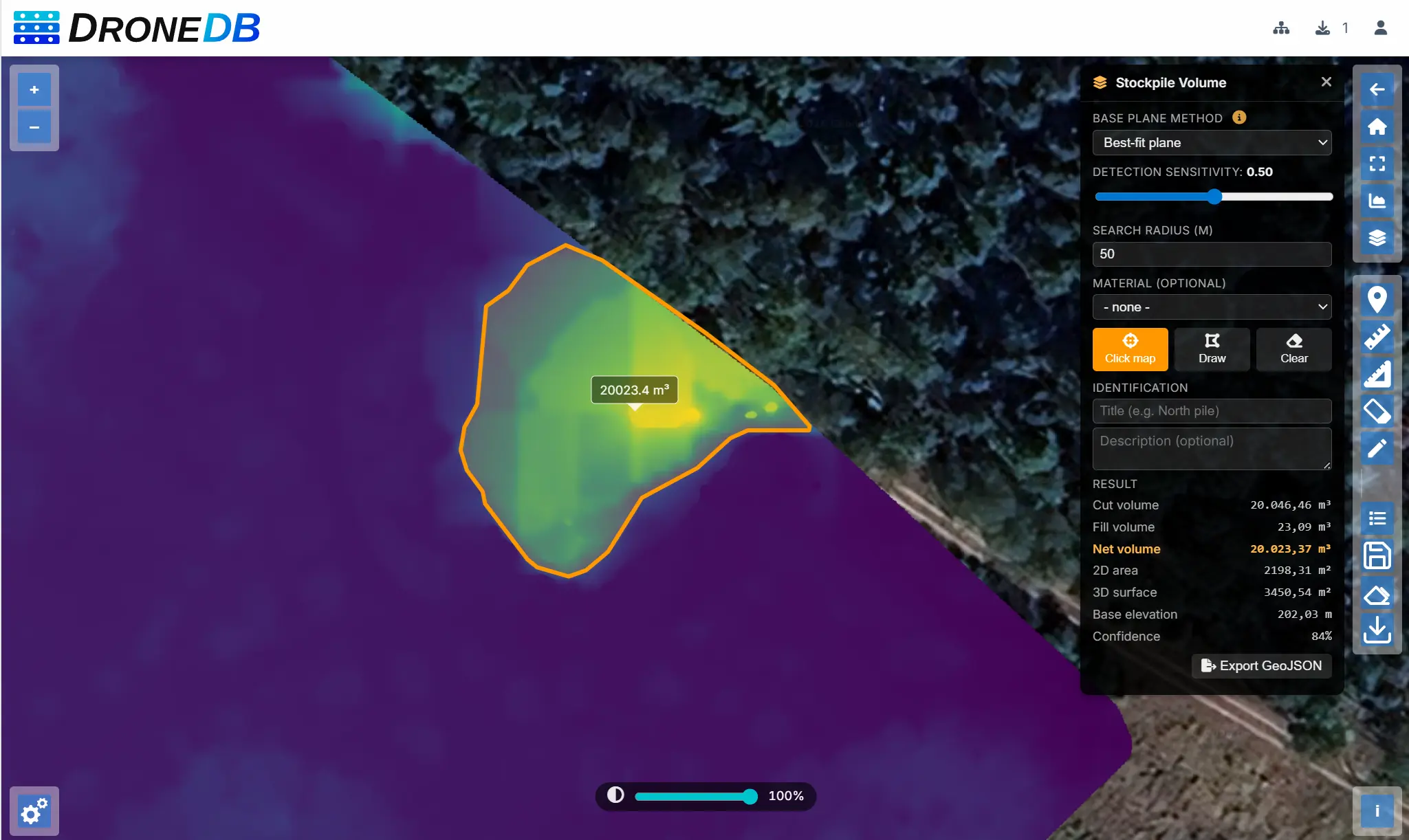
ddb contourcommand (and matchingPOST /ddb/{org}/{ds}/obj/contourendpoint) generates GeoJSON contour lines with configurable interval, count, base offset, min/max clipping, simplification tolerance, and band selection. - Stockpile detection: click on a DEM and DroneDB returns a polygon footprint with an estimated volume and confidence score. A second mode scans the entire DEM and returns all detected stockpiles sorted by volume.
- Volume calculation: cut, fill, and net volumes for any polygon region, with 2D/3D area and base plane statistics. Supports four base plane methods:
lowest_perimeter,average_perimeter,best_fit, andflat. - Raster profiles: sample a raster along a GeoJSON LineString and get an equispaced elevation/value profile, ready to plot.
In Hub, these are wired up as interactive map tools: draw a polygon to compute a volume, click a peak to detect a stockpile, drag a line to plot an elevation profile, or hit the contours toggle to overlay isolines on the fly.
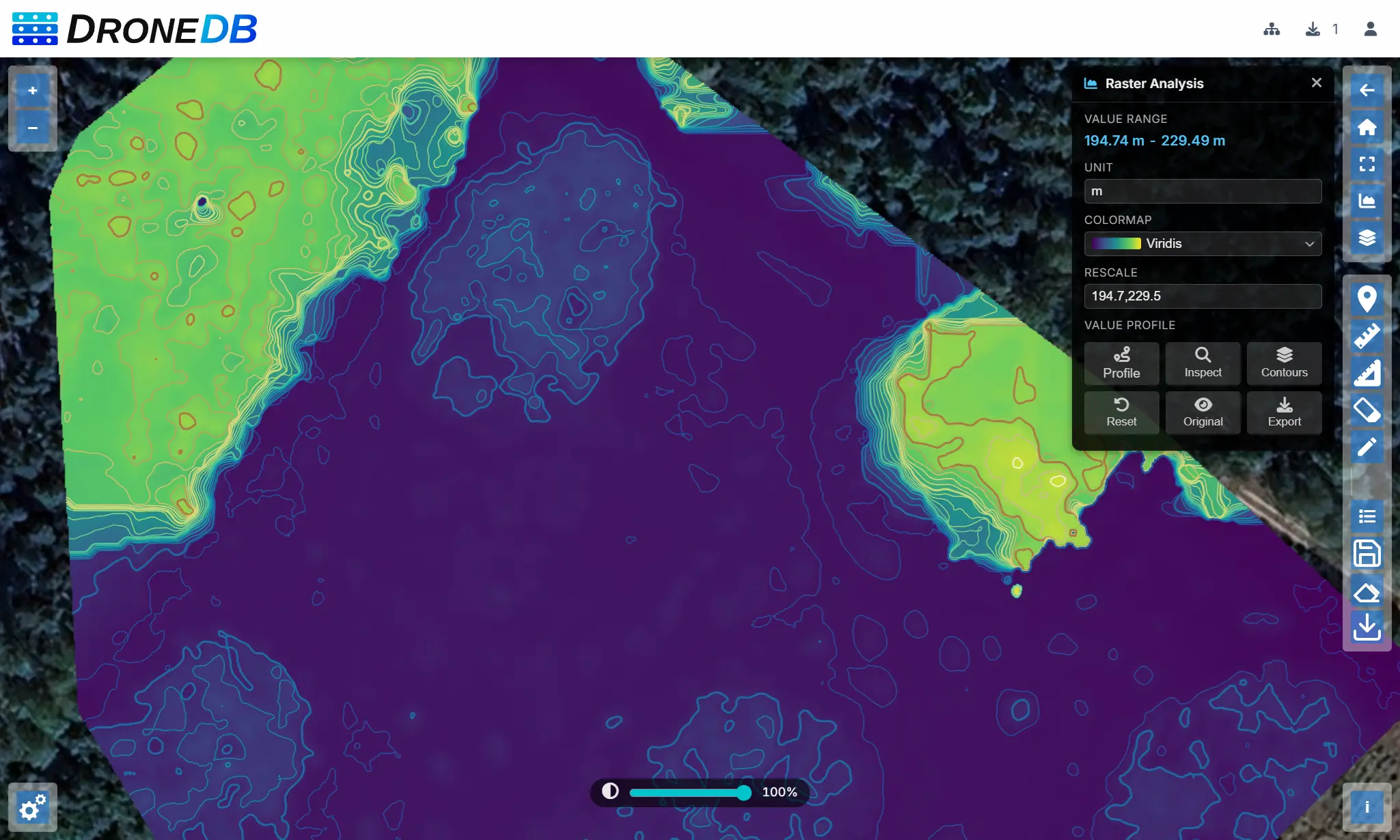
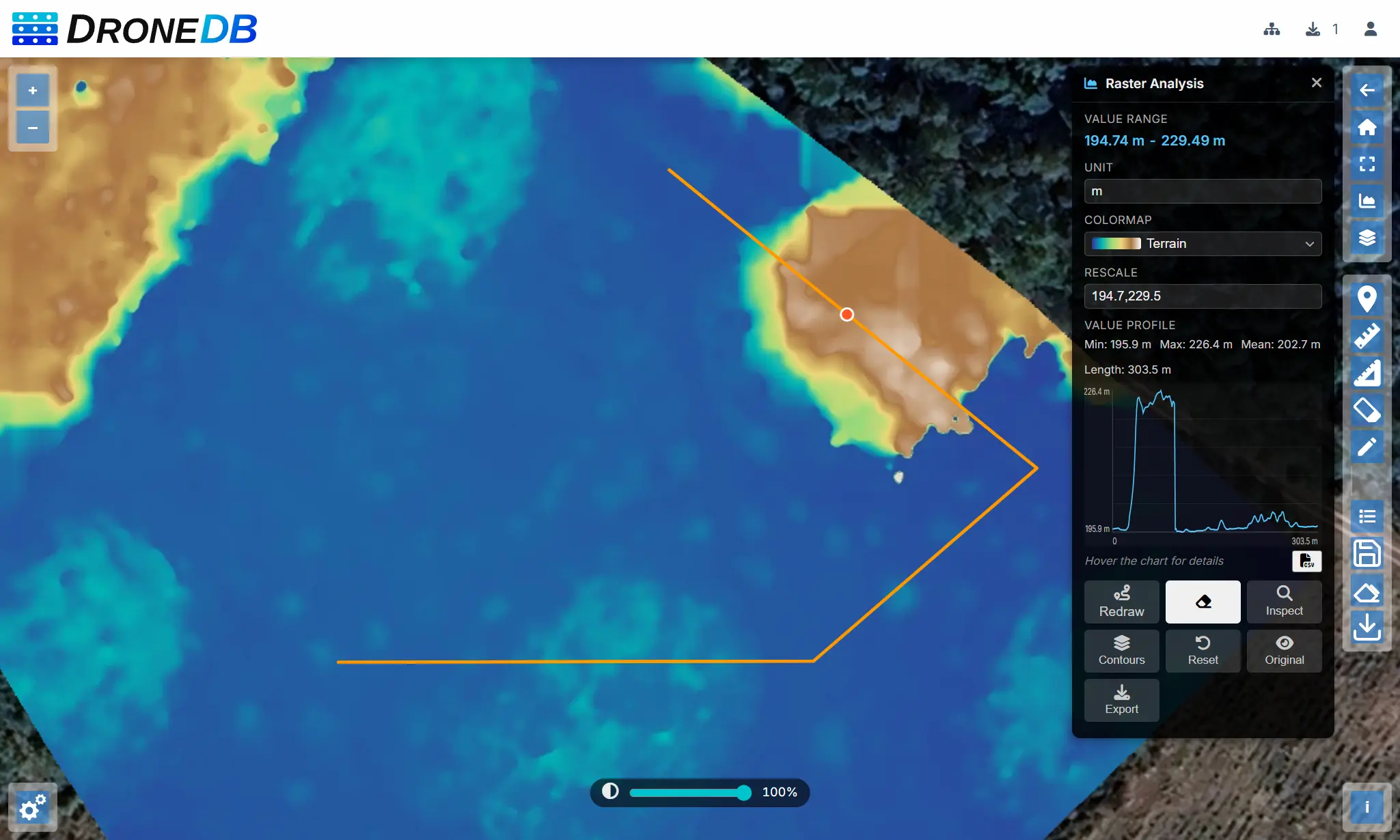
You can try it by yourself in the micasense public dataset!
Multispectral & hyperspectral imagery
DroneDB indexes, processes, and visualizes multispectral and hyperspectral datasets as first-class citizens:
- Sensor profiles: a built-in
sensor-profiles.jsoncovers MicaSense RedEdge, DJI P4 Multispectral, Parrot Sequoia, Sentera, and others. Band names, sensitivities, and processing parameters are defined per sensor and can be overridden. - Automatic band detection: spectral band information is parsed from XMP (DJI, MicaSense) and EXIF tags and matched to the correct sensor profile on indexing.
- Generic profile fallback: when no profile matches a multi-band non-Byte raster, band names are populated from GDAL descriptions and color interpretation, so vegetation indices work correctly on unrecognized sensors (e.g., ODM multispectral orthophotos).
- Vegetation indices: NDVI, NDWI, GNDVI, and NDRE are computed directly from band data, with automatic band selection based on the sensor profile.
- Yaw-aware merge: the multispectral merge algorithm accounts for yaw differences between overlapping captures for cleaner composites.
- Orthophoto mask: the
ddb orthomaskcommand generates masks from multispectral inputs. - COG output: Cloud-Optimized GeoTIFF generation with correct band selection.
- Thumbnails: proper thumbnail support for single-band and multi-band composites.
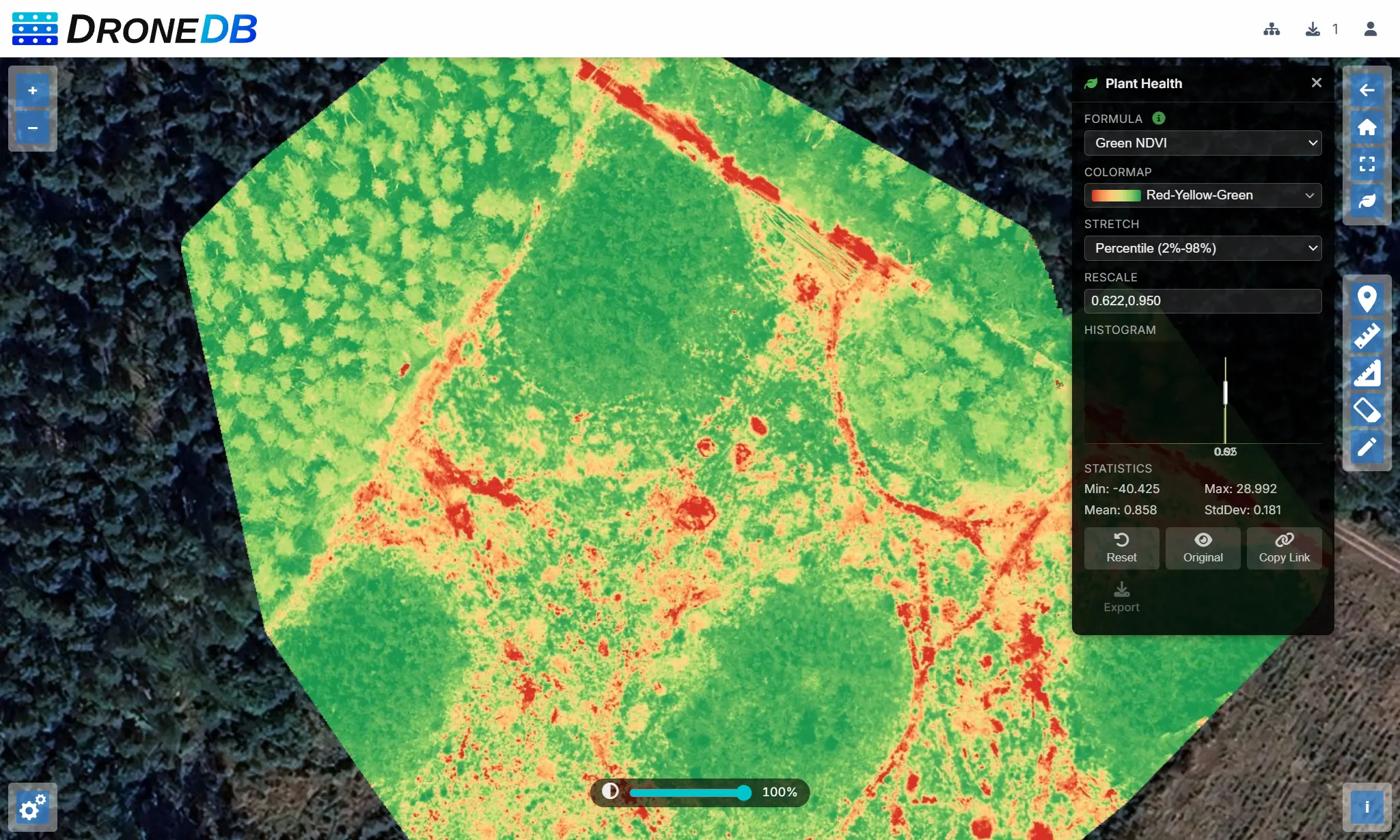
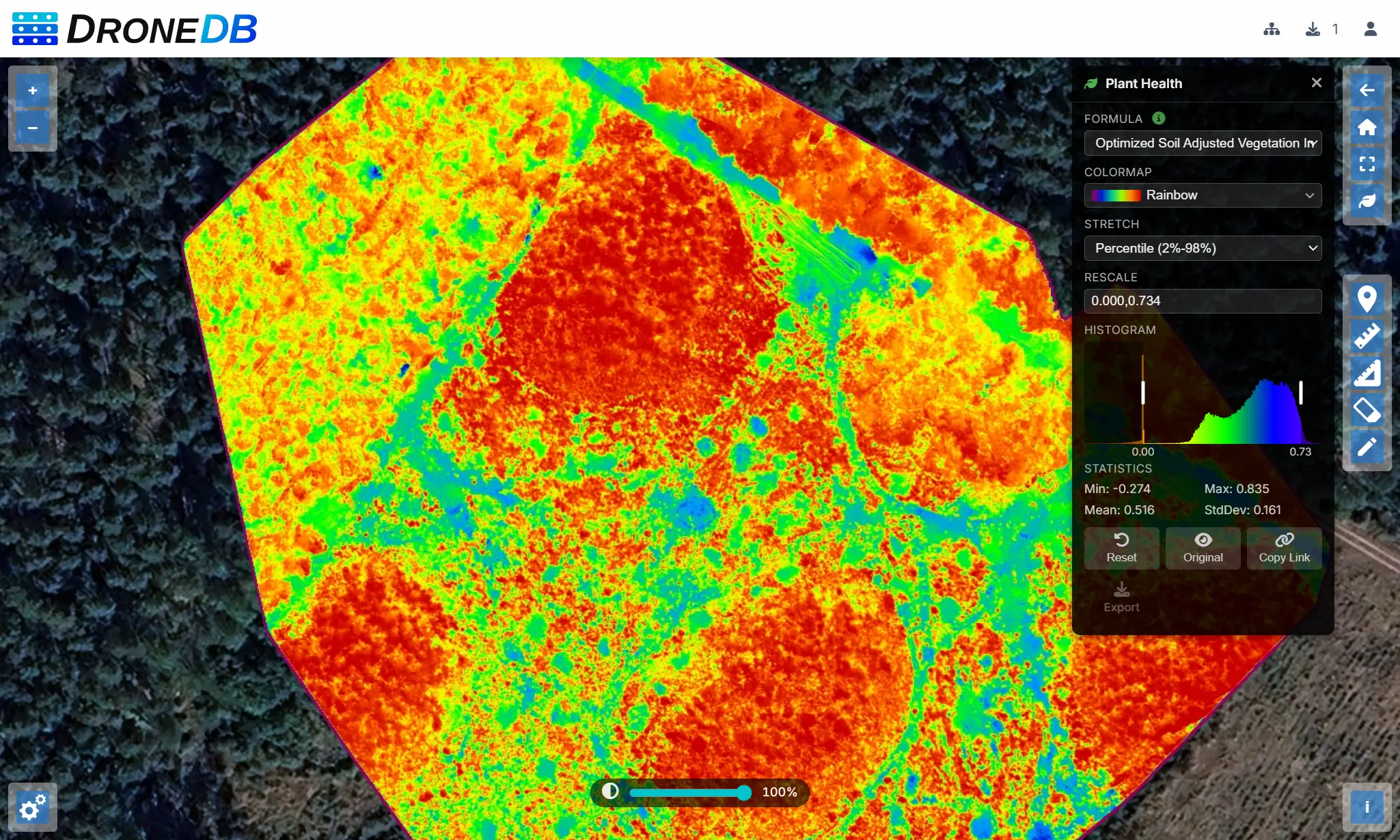
You can browse the micasense multispectral georaster to try it by yourself.
Thermal imaging
Thermal data flows through the same raster pipeline, with dedicated rendering on top:
- Radiometric calibration: raw sensor values from thermal R-JPEG files are calibrated against the matching sensor profile to produce accurate temperature output.
- Generalized raster APIs: the underlying value-sampling APIs are now neutral and work on any single-band raster, not just thermal sources.
isDirectTemperatureRasterno longer misclassifies DEMs or DSMs as thermal images. - Colormap rendering: thermal images render with an appropriate colormap in the Hub viewer, plus the new
terrainandgreyscolormaps available across all single-band rasters. - Metadata: temperature and emissivity values are surfaced in the file detail panel.
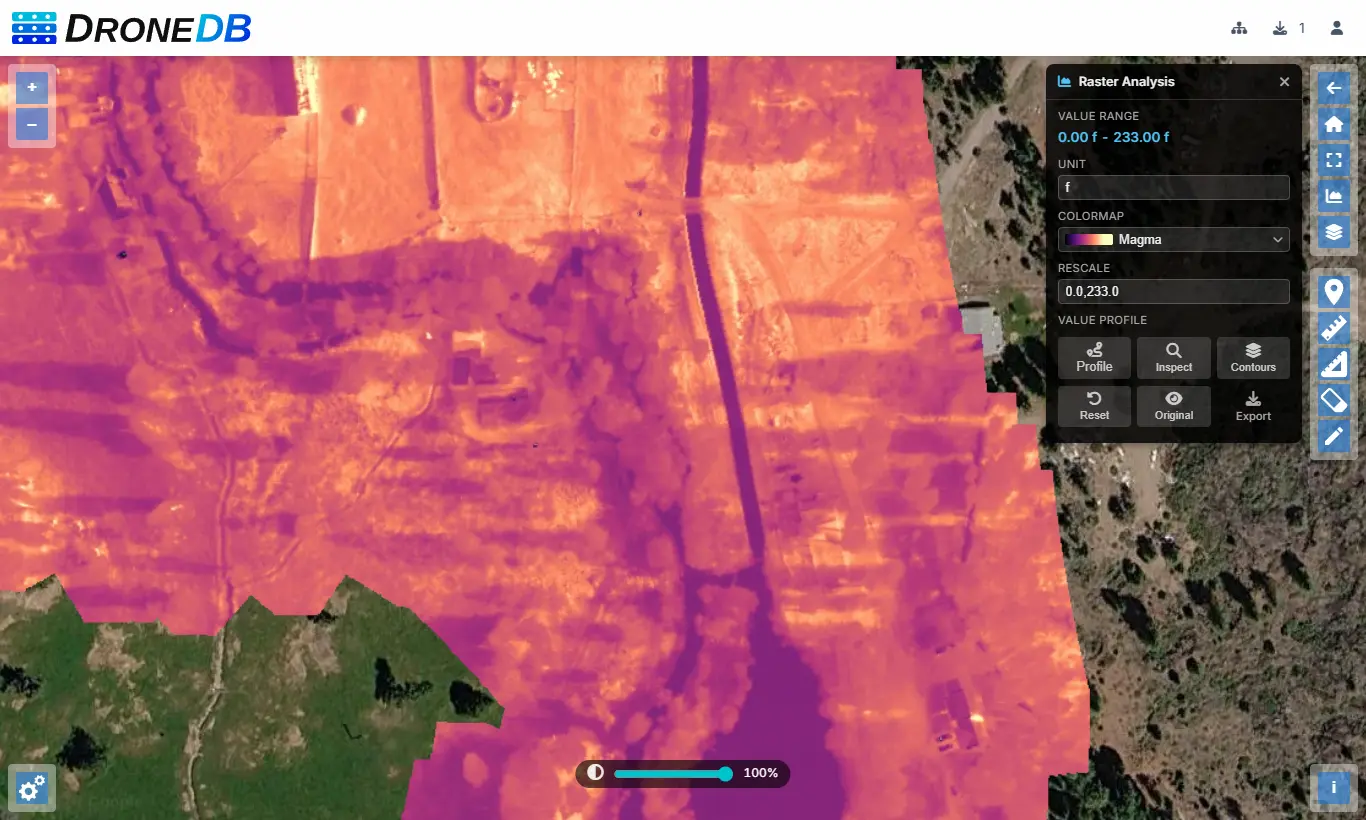
You can browse the thermal georaster of Hat Creek to try it yourself!
Hub visualization tools
The Hub interface gained a set of dedicated panels for working with raster, multispectral, and thermal data directly in the browser:
- Plant Health panel: select a vegetation index (NDVI, NDWI, GNDVI, NDRE), choose band mapping, pick a colormap, and adjust the rescale range with drag handles on the live histogram. Results can be exported as GeoTIFF directly from the panel.
- Thermal controls panel: choose a colormap, switch between temperature units (Celsius/Fahrenheit/Kelvin), and display spot or area temperatures interactively on the map. Plant Health and Thermal panels are now mutually exclusive to avoid stacked visualizations.
- Stockpile Volume tool: click-to-detect, draw-polygon, or full-DEM scan modes, with a results panel showing cut, fill, net, and 2D/3D area.
- Contour Lines tool: configurable interval and smoothing, with a live overlay on the map.
- Raster Profile tool: draw a line on a DEM/DSM and view an elevation/value chart.
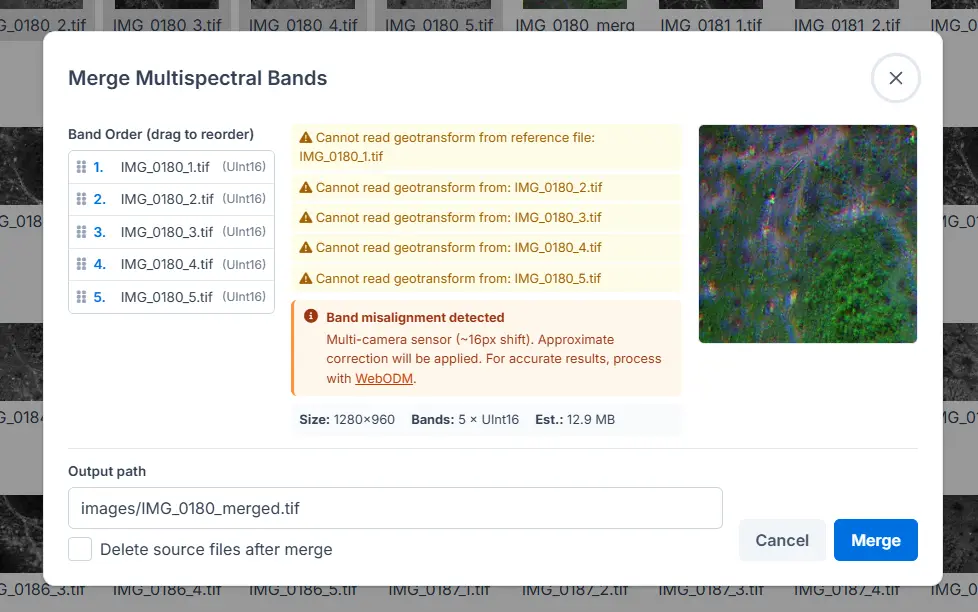
- Merge Multispectral dialog: combine single-band rasters into a multi-band Cloud Optimized GeoTIFF with drag-and-drop band reordering, validation, a live preview, and configurable output path.
- Mask Borders context menu: remove black or white borders from orthophotos with a single click. The action runs as a background job with an overwrite confirmation step.
- Plant Health toolbar button: open the Plant Health panel directly from the map toolbar for quick access on any multispectral layer.
- Shareable visualization state: Plant Health settings (index, bands, colormap, rescale range) are encoded into the URL hash so views can be shared as direct links.
- Server-side sorting: the Datasets table now sorts on the server for faster, more consistent results across large organizations.
- Properties table: cleaner data-type-aware rendering of file properties in the detail panel.
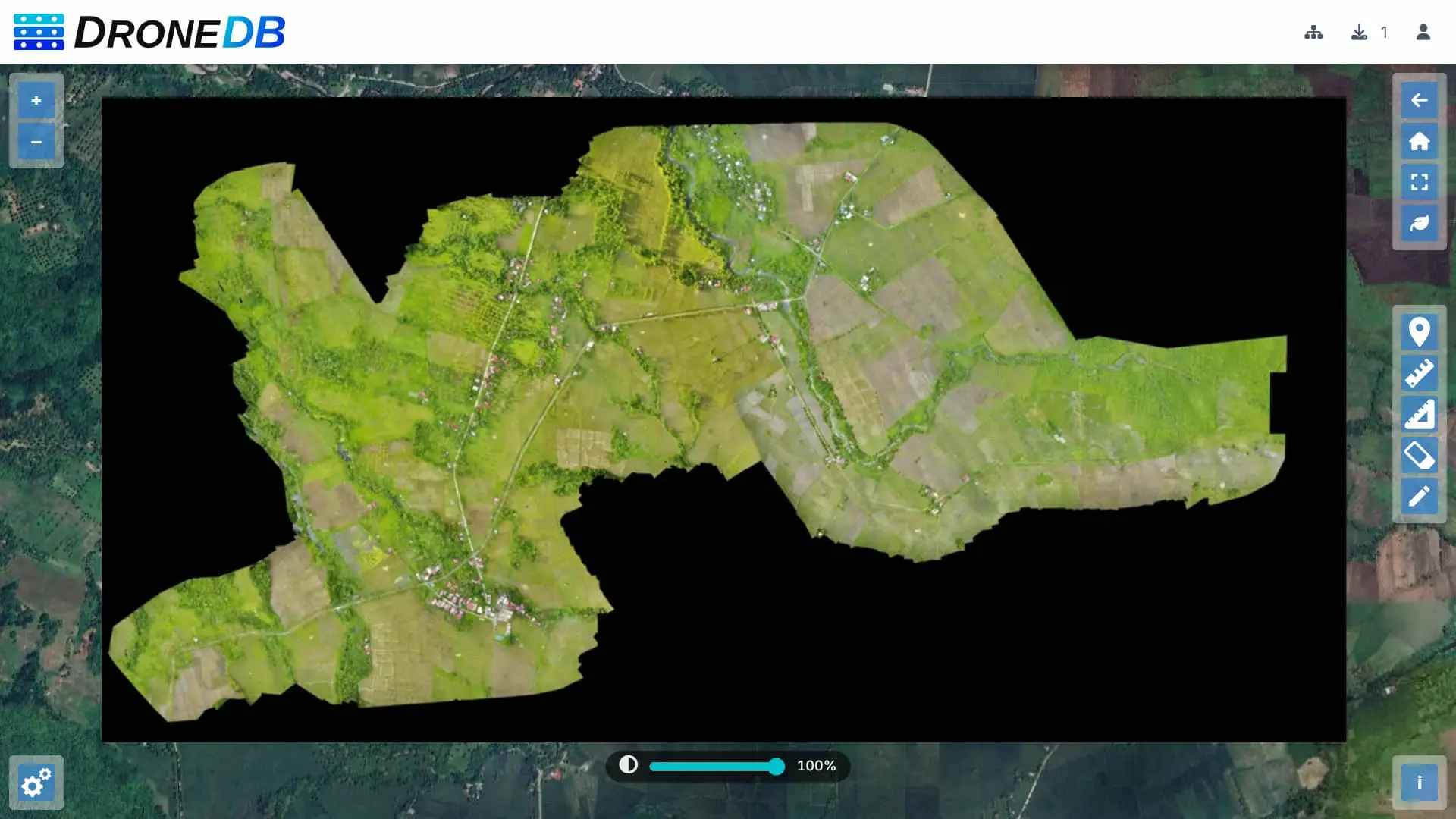
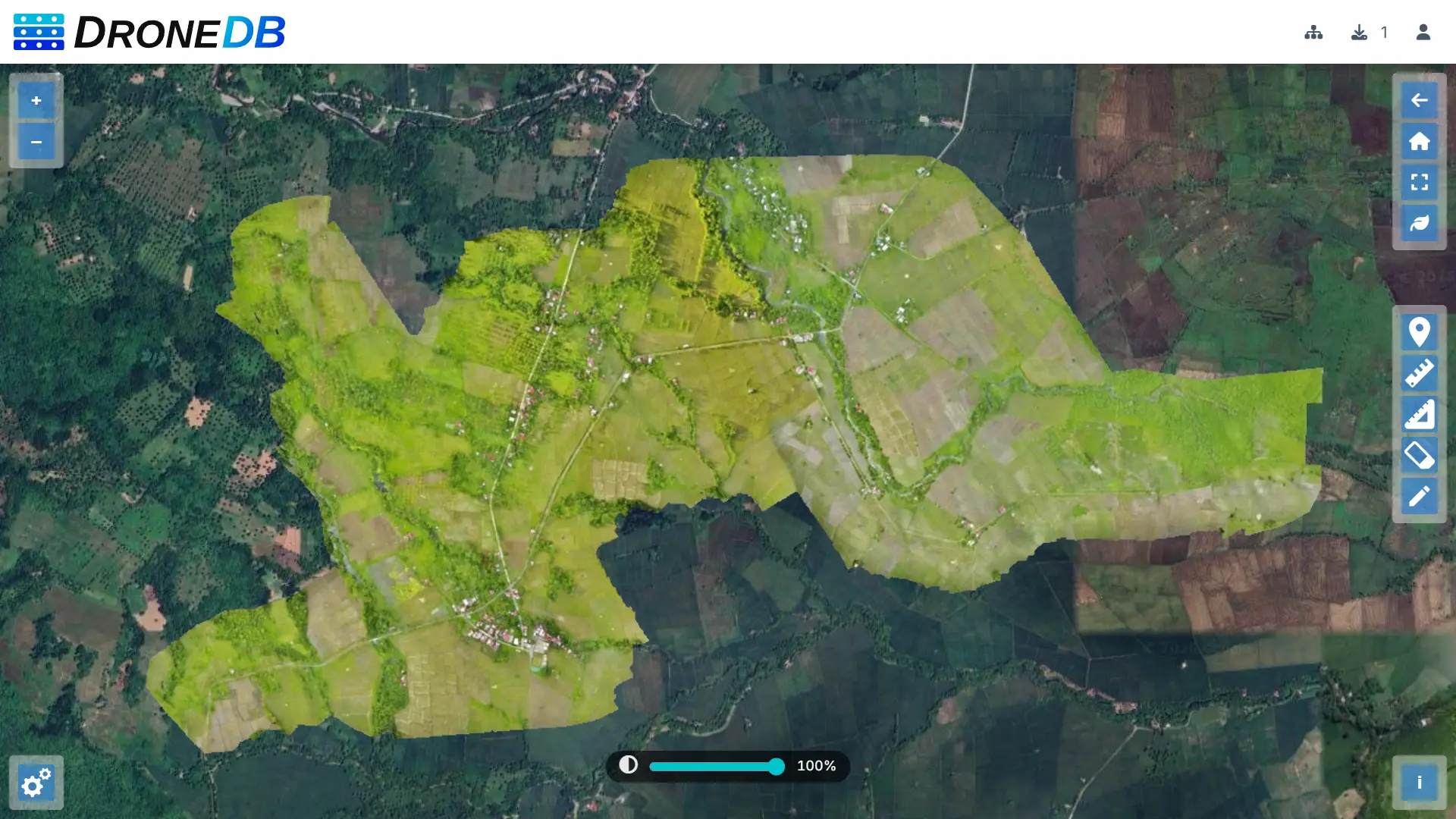
New point cloud formats: E57, PTS, XYZ
DroneDB indexes three additional point cloud formats alongside LAS, LAZ, and PLY:
- E57: the ASTM E2769 standard for 3D imaging data exchange, widely used in surveying and architecture.
- PTS: Leica Cyclone PTS, a text-based point cloud format common in 3D laser scanning.
- XYZ: plain ASCII with X, Y, Z coordinates and optional intensity/color columns, supported across most point cloud tools.
All three go through the full pipeline: STAC metadata, thumbnail generation, and Potree preview. XYZ parsing includes improved coordinate handling and validation.
CLI: glob patterns replace –recursive
DroneDB’s CLI moved from a recursion flag to a more flexible glob model:
- Glob patterns:
add,info,list, andsharenow accept shell-style globs (*,?,[...],**). Directories are always expanded recursively;.ddbentries are always excluded. - Removed flags:
-r/--recursiveand-d/--depthare gone. Existing scripts should be updated to use globs instead (e.g.,ddb add "**/*.tif"). - Non-interactive share: a new
--non-interactiveflag onsharereads credentials exclusively fromDDB_USERNAMEandDDB_PASSWORD, suitable for CI pipelines. - Better error messages: missing required arguments and option parse errors now print a descriptive message to stderr and exit with a non-zero code instead of silently printing help.
Build reliability, security, & memory
- Exception leak fix: internal details (paths, native error strings) are no longer leaked through API error responses. (Security)
- Stale lock recovery:
ddb build --forceuses PID verification to detect whether the process that created a.buildinglock file is still running. If it isn’t, the lock is removed and the build proceeds. - Atomic lock creation: on Unix, lock files are created with
O_EXCL, eliminating a race condition. - Windows DLL copy: now always overwrites stale DLLs with
ONLY_IF_DIFFERENT, preventing CRT-mismatched plugin binaries (e.g.,libpdal_plugin_reader_e57.dll) from a previous config being left in the output directory. - DDBFree exported:
DDBFreeis exported from the DroneDB shared library and called by Registry after every native allocation, closing a leak that accumulated over long-running instances. - Visual Studio support: native VS project files are available for Windows builds alongside the existing CMake/vcpkg path.
- Untwine fix: division-by-zero crash on very small point clouds resolved.
Registry updates
- .NET 10: Registry is built on .NET 10. Dockerfile and publish profiles updated accordingly.
- Raster analytics endpoints: new
/ddb/{org}/{ds}/obj/contour, raster value/profile, stockpile detection, and volume calculation endpoints. - Report endpoint: new analytics endpoint with slug-based addressing for usage reports.
- Path traversal protection: an additional validation layer on file upload paths, with dedicated test coverage.
- Multispectral API: alignment DTO exposes yaw correction parameters to the Hub frontend for the merge workflow.
- Export size limit: the
MaxExportSizeBytesconfiguration option caps dataset export operations (default 1 GB), exposed viaGET /system/featuresfor client-side enforcement. - Scalar API docs: fixed rendering of the API documentation at
/scalar/v1.
Breaking changes
- Renamed thermal C APIs:
DDBGetThermalInfo→DDBGetRasterValueInfo,DDBGetThermalPoint→DDBGetRasterPointValue,DDBGetThermalAreaStats→DDBGetRasterAreaStats. JSON fields renamed:temperature*→value*,isDirectTemperature→isDirectValue. Update native call sites and JSON consumers. - Removed
recursivefromShareService::share(): callers must expand file lists before invokingshare()(e.g., withexpandGlobPatterns()). - Removed
-r/--recursiveand-d/--depthfromadd,info,list, andshare. Replace with explicit globs.
Discord
Our Discord server is the primary place for community discussion, support, and announcements. Both the DroneDB and Registry repositories link to it from their READMEs. Join us there to ask questions, share what you’re building, or follow development more closely.
Full version history
Registry: v2.0.6 → v2.1.0 → v2.1.1 → v2.1.2 → v2.2.0
DroneDB: v1.4.5 → v1.5.0 → v1.5.1 → v1.6.0
Get started
Check out our plans on dronedb.app/plans.
Self-hosted: Pull the latest Docker image or download the release from GitHub. See the documentation for upgrade steps.
CLI: DroneDB v1.6.0 is on GitHub Releases.
Questions or feedback? Open an issue, come talk to us on Discord or send us an e-mail.
Happy flying!
The DroneDB Team